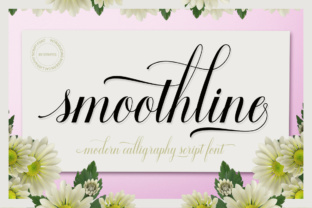
Smoothline Script: A Modern Handwritten Style for Professional and Creative Workflows
Smoothline Script is a modern handwritten script font that bridges the gap between elegance and practicality. Designed with readability in mind, it offers a clean, flowing style that feels personal yet professional. Whether you're crafting branding materials, designing marketing assets, or creating content for print or digital platforms, Smoothline Script provides a versatile option that adapts to a wide range of applications.
Understanding the Role of Smoothline Script in Design and Communication
Handwritten fonts like Smoothline Script are often used to add a touch of personality and warmth to visual communication. Unlike block letters or sans-serif fonts, which can feel impersonal, a script font brings a sense of human touch and creativity. However, not all script fonts are created equal—many can be difficult to read or lack consistency. Smoothline Script stands out by maintaining clarity while preserving the organic feel of handwriting.
This makes it particularly useful in scenarios where a balance between aesthetics and functionality is needed. For instance, it's well-suited for logos, website headers, social media posts, and even email signatures. Its smooth curves and consistent stroke weights ensure that it remains legible across different sizes and mediums.
Where Smoothline Script Fits in Your Workflow
Integrating Smoothline Script into your workflow can happen at various stages depending on your project goals. Here’s how it might fit into different scenarios:
- Before a Project: Use Smoothline Script during brainstorming sessions or when drafting initial concepts. It can help set a creative tone and inspire ideas that align with a more organic or artistic direction.
- During a Project: Apply it to mockups, prototypes, or early design drafts. Its readability ensures that stakeholders can quickly grasp key elements without being distracted by overly stylized text.
- After a Project: Incorporate it into final deliverables such as branding assets, packaging designs, or promotional materials. It adds a polished yet approachable finish that resonates with audiences.
Practical Applications Across Industries
Smoothline Script isn't limited to graphic design—it has broad applications across multiple industries:
- Branding and Marketing: Use it in logos, taglines, and advertising copy to convey a brand's identity with a personal, human touch.
- Education and Publishing: Ideal for book covers, educational materials, or course titles where a friendly and engaging tone is desired.
- Freelancing and Creativity: Perfect for blog headers, portfolio websites, or client proposals that aim to stand out visually while maintaining professionalism.
- Small Business Owners: Great for signage, menus, or packaging where a unique but readable font can enhance customer experience.
How Smoothline Script Integrates with Other Tools and Resources
One of the strengths of Smoothline Script is its compatibility with various design tools and platforms. It works seamlessly with popular software such as Adobe Photoshop, Illustrator, Canva, and Figma. This flexibility allows designers to use it in both vector and raster formats, ensuring it maintains quality at any scale.
Additionally, Smoothline Script pairs well with other typefaces. For example, using it alongside a sans-serif font can create a balanced contrast—ideal for headings and body text. When combined with bold or italic variations, it can add visual interest without sacrificing readability.
Tips for Effective Implementation
To get the most out of Smoothline Script, consider these implementation tips:
- Use Sparingly: While it adds character, overusing it can make text appear cluttered or hard to read. Reserve it for headings, accents, or short phrases.
- Test Across Devices: Ensure that the font looks good on screens of all sizes, from mobile phones to desktop monitors.
- Pair with Complementary Fonts: Choose a supporting font that complements Smoothline Script's style, such as a clean sans-serif for body text.
- Adjust Spacing and Kerning: Fine-tune letter spacing and kerning to maintain a balanced appearance, especially in longer passages.
Long-Term Use and Consistency
When selecting a font for long-term use, consistency is key. Smoothline Script is designed with this in mind, offering a consistent look across different platforms and file types. This makes it an excellent choice for businesses that need to maintain a cohesive brand identity over time.
For those who frequently update their branding or content, having a reliable font like Smoothline Script can save time and reduce the need for frequent redesigns. Its adaptability ensures it remains relevant whether used in print, digital media, or social platforms.
Workflow Integration Examples
Here are a few real-world examples of how Smoothline Script can integrate into daily workflows:
- Marketing Campaigns: Use it in headlines for email newsletters or social media banners to draw attention and convey a friendly, approachable tone.
- Website Development: Apply it to navigation menus, call-to-action buttons, or hero sections to create a visually appealing layout.
- Print Materials: Incorporate it into business cards, brochures, or flyers to give them a distinctive, memorable look.
- Personal Branding: Add it to your resume, LinkedIn profile, or personal website to reflect your individuality and attention to detail.
Conclusion
Smoothline Script is more than just a font—it's a tool that enhances the way we communicate and present information. Its modern, handwritten style offers a perfect blend of readability and aesthetic appeal, making it suitable for a wide range of professional and creative applications.
By understanding how and when to use Smoothline Script, you can elevate your projects, streamline your workflow, and create content that resonates with your audience. Whether you're a designer, marketer, educator, or entrepreneur, integrating this font into your work can help you achieve greater clarity, impact, and visual harmony.